Latest NADRA Pak ID App Updates: Check New Features Here
Stay informed about the latest NADRA Pak ID app updates. Explore new features like online FIA complaints, vehicle verification, and much more.
Introduction:
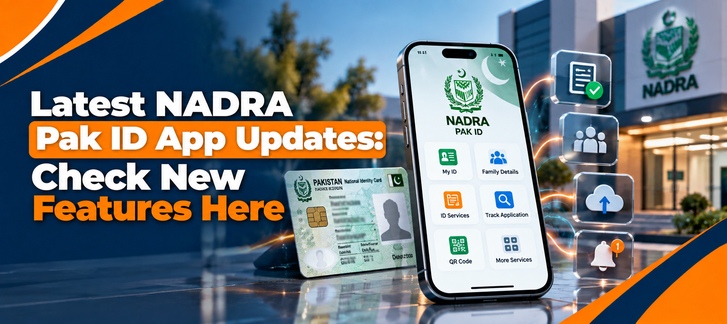
Managing identity documents in Pakistan is becoming increasingly digital. Eligible citizens can now use the official PakID Mobile App instead of visiting a NADRA Registration Centre for every service. Because in this app you can apply for and manage several identity-related services from your smartphone.
But what has changed in the latest NADRA Pak ID app?
The latest publicly listed Android release is Pak Identity version 5.7.7. This version was updated on September 10, 2026. The current release notes list some bug fixes in the app. While the immediately preceding version 5.7.6 introduced several notable features as well. This includes passport reprints, appointment booking for certain biometric verification failures. Where Sehat Card digital-document support and certificate downloads are for applications that have already been submitted to NADRA centres.
This guide explains the NADRA Pak ID App update latest version. While we will also define its major features and available services. So what can users expect from the future of Pakistan's digital identity platform?
What Is NADRA PakID App?
PakID is NADRA's official online identity service that allows Pakistani citizens to apply for and manage eligible identity-document services through a mobile application.
The app is designed to reduce the need for physical visits to NADRA offices by allowing users to complete various parts of the identity-document process remotely.
According to NADRA, the app supports services related to documents including:
1) CNIC
2) NICOP
3) Identity-document renewal
4) Identity-document modification
5) Reprint or replacement of lost documents
6) Other eligible digital identity services
The app also incorporates biometric verification and live photograph capture features. Where as digital signatures, document upload and online payments-like features are also included in this app.
The safest approach is to update the application through the official Google Play Store or Apple App Store. Rather than downloading APK files from unknown websites. This is for users that are searching for NADRA Pak ID app updates online.
NADRA PakID App Journey and Features:
PakID has developed from a basic online application service into a broader mobile identity platform.
The current application combines several steps that previously required more manual interaction.
1) Biometric Verification
One of the important capabilities of PakID is biometric identity verification.
The application supports biometric functions using a smartphone, including fingerprint and facial verification capabilities. NADRA describes biometric verification as one of the core features of the platform.
This technology is particularly important because identity-document applications require reliable confirmation that the applicant is the person associated with the identity record.
2) Live Photograph Capture
PakID can use a smartphone camera to capture an applicant's photograph. This feature is according to ICAO-based requirements for this app.
This means users can complete the photo-capturing stage on their mobile device. Rather than necessarily visiting a photography facility or a NADRA centre.
3) Digital Signature
The app supports digital signature capture through the mobile touchscreen.
This allows users to provide their signature electronically during applicable applications.
4) Document Upload
Users can upload supporting documents to the app. While they are taking photographs with their mobile camera or selecting files from their device to be uploaded.
This makes it possible to submit documentation without physically carrying every document to a NADRA office, where the particular service is eligible for digital processing.
5) Online Payments
PakID also supports online payment functionality.
The current app listing identifies online payments as one of its core functions, allowing users to pay applicable fees during eligible applications.
NADRA PakID App Services:
PakID's available services depend on applicant requirements. While these services also depends on applicant document type and eligibility requirements according to this app.
The official app listing currently identifies several major services.
1) CNIC Renewal
Eligible users can apply for their CNIC renewal through PakID without starting the entire process at a physical NADRA centre.
2) CNIC Modification
Because users can submit eligible modification requests for their ID card through the app.
The exact documentation and verification requirements depend on the type of information that changes.
3) CNIC Reprint or Replacement
If an eligible CNIC is lost or requires reprinting of it. Therefore, PakID provides a digital route for requesting a replacement or reprint of an ID card.
4) NICOP Services
PakID also supports several NICOP-related services, including:
1) New NICOP
2) NICOP modification
3) NICOP renewal
4) NICOP reprint or replacement
These services are particularly relevant for Pakistanis living abroad. Especially people who need to manage their identity documentation remotely.
What's New in the Latest NADRA Pak ID App Update?
The most important point is that the current Google Play listing identifies version 5.7.7. This is important for those users who are specifically searching for the NADRA Pak ID app update latest version.
1) Version 5.7.7
The current release notes state:
"Bug fixes."
In other words, the latest version listed release is primarily a maintenance update. Rather than a major feature release on the app.
However, the previous version 5.7.6 introduced several more visible changes.
2) Passport Reprint
Version 5.7.6 added a Passport Reprint feature to the app listing.
This expands the range of identity-related services accessible through the mobile platform.
3) Appointment Booking for Verification Failures
Another notable addition was appointment booking for fingerprint or facial verification failures.
This is important because biometric verification can sometimes fail due to environmental conditions. Or it can fail due to camera quality, fingerprint readability or other technical factors.
The feature provides an appointment route for affected users instead of repeatedly attempting verification without a resolution.
4) Sehat Card as a Digital Document
Version 5.7.6 also added Sehat Card as a digital document in PDF format.
This represents a broader direction for the platform: using the mobile application not only for identity-document applications. But also using the app for accessing certain government-issued digital documents.
5) Certificate Downloads
The same release added an option to download certificates through PakID for applications that are submitted at NADRA Centres.
This step can reduce the need for users to return to a physical centre simply to obtain an applicable certificate.
6) JazzCash Payment Update
Version 5.7.6 also included an updated JazzCash icon on the payment screen.
While this is a relatively small interface change. Because payment integration is an important part of making digital identity services easier to complete through a mobile application.
How to Update NADRA PakID App Online:
If you are searching for a NADRA Pak ID app update online, avoid unofficial APK websites.
1) On Android
1) Open Google Play Store.
2) Search for Pak Identity.
3) Confirm that the developer is National Database & Registration Authority.
4) Tap Update if an update is available.
5) Wait for installation to complete.
6) Open the application and log in.
7) The official Google Play listing identifies NADRA as the developer and currently lists version 5.7.7.
2) On iPhone
iPhone users should use Apple's official App Store and search for the official Pak Identity application.
Always check the developer information before installing an application involving sensitive identity information.
Why Keeping PakID Updated Matters:
Identity applications involve sensitive personal information, biometric verification and official documents.
Keeping the application updated can provide several practical benefits:
1) Bug fixes
2) Compatibility improvements
3) Security-related maintenance
4) Updated payment functionality
5) New identity services
6) Improved application stability
The latest 5.7.7 release is specifically described as a bug-fix update. Because it's making app useful for users experiencing problems with an earlier version.
However, an app update does not guarantee that every biometric, camera or verification problem will disappear. But device compatibility, lighting, camera quality, internet connectivity and the user's identity information can all affect the application process.
What Is the Future of the NADRA PakID App?
PakID is moving toward a broader digital identity ecosystem.
The direction is visible in the gradual expansion from basic CNIC-related services toward additional documents, certificates, biometric processes, appointment management and digital government services.
Future development could involve further integration of:
1) Digital identity documents
2) Government certificates
3) Online verification
4) Biometric authentication
5) Digital payments
6) Appointment systems
7) Document tracking
8) Additional government services
9) The key objective is to make more identity-related processes accessible through a smartphone while maintaining appropriate verification and security requirements.
10) NADRA's official description already positions PakID as an all-in-one platform for applying, verifying and accessing identity services remotely.
Common Problems After a PakID Update:
An update can sometimes introduce a different user experience or require additional permissions.
If the application does not work properly after updating, try these basic steps:
1) Check Your Internet Connection
A stable internet connection is important for account login, biometric verification, document uploads and online payments.
2) Update Your Phone
Make sure your Android or iOS operating system is compatible with the current version of the application.
3) Allow Camera Permissions
PakID uses the smartphone camera for functions including photographs, fingerprints and document capture.
4) Restart the Application
Close and reopen the app if a function becomes unresponsive.
5) Use Official NADRA Support
For persistent problems, use NADRA's official support channels rather than relying on unofficial social-media instructions.
Final Thoughts:
The NADRA Pak ID app updates show a gradual shift toward a more comprehensive digital identity system in Pakistan.
The current Android release, version 5.7.7, is a bug-fix update, while the previous 5.7.6 release introduced more visible capabilities such as passport reprint, appointment booking for biometric-verification failures, Sehat Card digital documents and certificate downloads.
For users, the biggest change is not simply the latest version number. It is the expanding range of identity-related tasks that can be initiated or managed through a smartphone.
If you use PakID for CNIC, NICOP or another eligible service, keeping the application updated and downloading it only from official app stores can help ensure that you have access to the current features and fixes.
For the latest information, always verify the app version and release notes in the official Google Play Store/App Store and NADRA's official website, because mobile-app features can change between releases.
FAQ's:
1) What is the latest NADRA PakID app version?
The latest Android version publicly listed by Google Play is Pak Identity version 5.7.7, updated on September 10, 2026. Its listed release note says the update contains bug fixes.
2) What was added in the NADRA PakID 5.7.6 update?
Version 5.7.6 added passport reprint, appointment booking for fingerprint or facial verification failures, Sehat Card as a digital PDF document, certificate downloads for applications submitted at NADRA centres and an updated JazzCash payment icon.
3) Can I update the NADRA PakID app online?
Yes. Android users can update the official Pak Identity application through Google Play, while iPhone users should use the official Apple App Store listing. Avoid downloading the app from unofficial APK websites.
4) What services can I use through PakID?
PakID supports eligible services including CNIC modification, renewal and reprint/lost-card services, as well as several NICOP services. The app also supports functions such as biometric verification, photograph capture, document uploads, digital signatures and online payments.
5) Can I apply for a CNIC through the PakID app?
PakID supports eligible CNIC services, including renewal, modification and reprint/lost-card applications. Whether a particular application can be completed entirely through the app depends on the service and verification requirements.
Sources:
NADRA: Pak ID MObile App
NADRA: Pak IOD FAQ"s